
How to easily download videos from Twitter with this helpful bot

How to easily download videos from Twitter with this helpful bot
admin 2023/07/29 23:39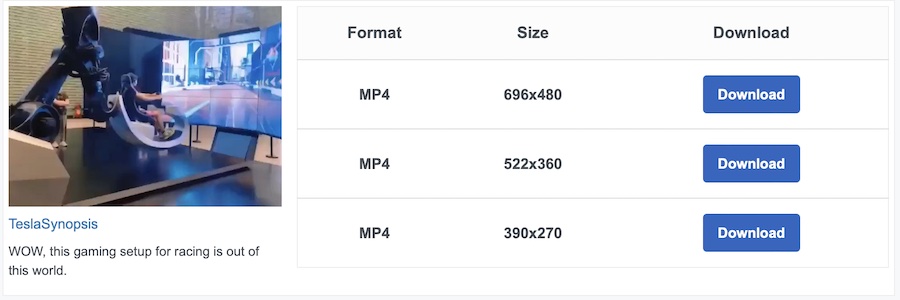
Discover a treasure trove of captivating videos on Twitter! If you wish to download videos to add to your Plex library for an enjoyable TV-watching experience or share them with friends, fret not – there's a simple solution.
Since Twitter lacks a direct download button for videos, obtaining them can be a bit tricky. However, fear not, for the handy 'Get Video Bot' comes to the rescue.
Here's the link: https://getvideobot.com/video/1683221624634630144
To easily download any video from Twitter, follow these steps:
1. Click the share button on the Twitter video (it's located at the bottom right corner).
2. Choose 'Copy link to Tweet' from the options provided.
3. Paste the copied link into your web browser's address bar, resulting in a link like this: https://twitter.com/i/status/1683221624634630144
4. Now, simply copy the last set of numbers from the link (1683221624634630144 in this case).
5. Head over to https://getvideobot.com/video/ in your browser, and paste the copied number right after the last forward slash.
6. Hit 'Enter,' and voilà! The video will be available for download in mp4 format, with multiple sizes to choose from.
With this easy-peasy method, you can enjoy your favorite Twitter videos offline or share them hassle-free. Happy viewing!"

Suggested Topics
2.2K
0

1.6K
0
1.2K
0